Working with Activities
Adding a new contact.
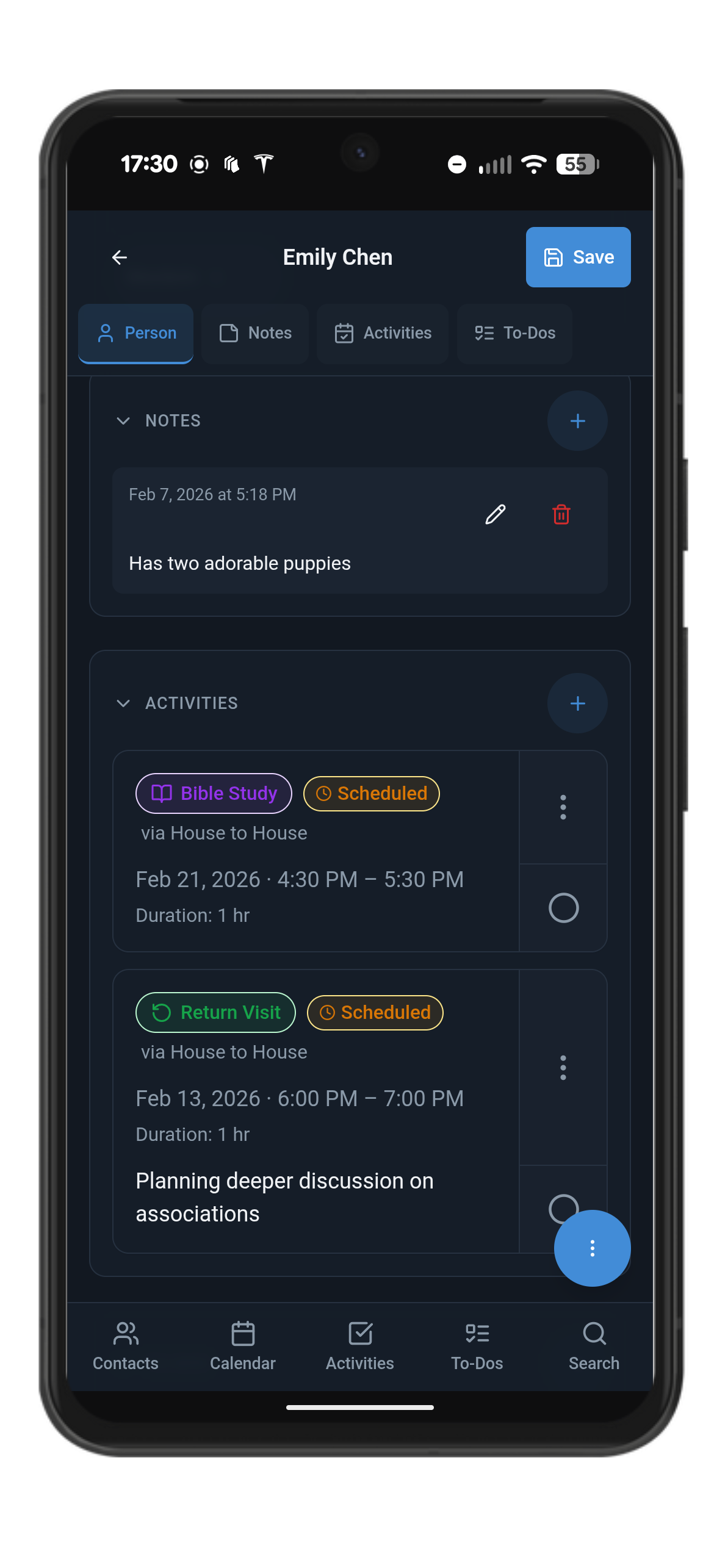
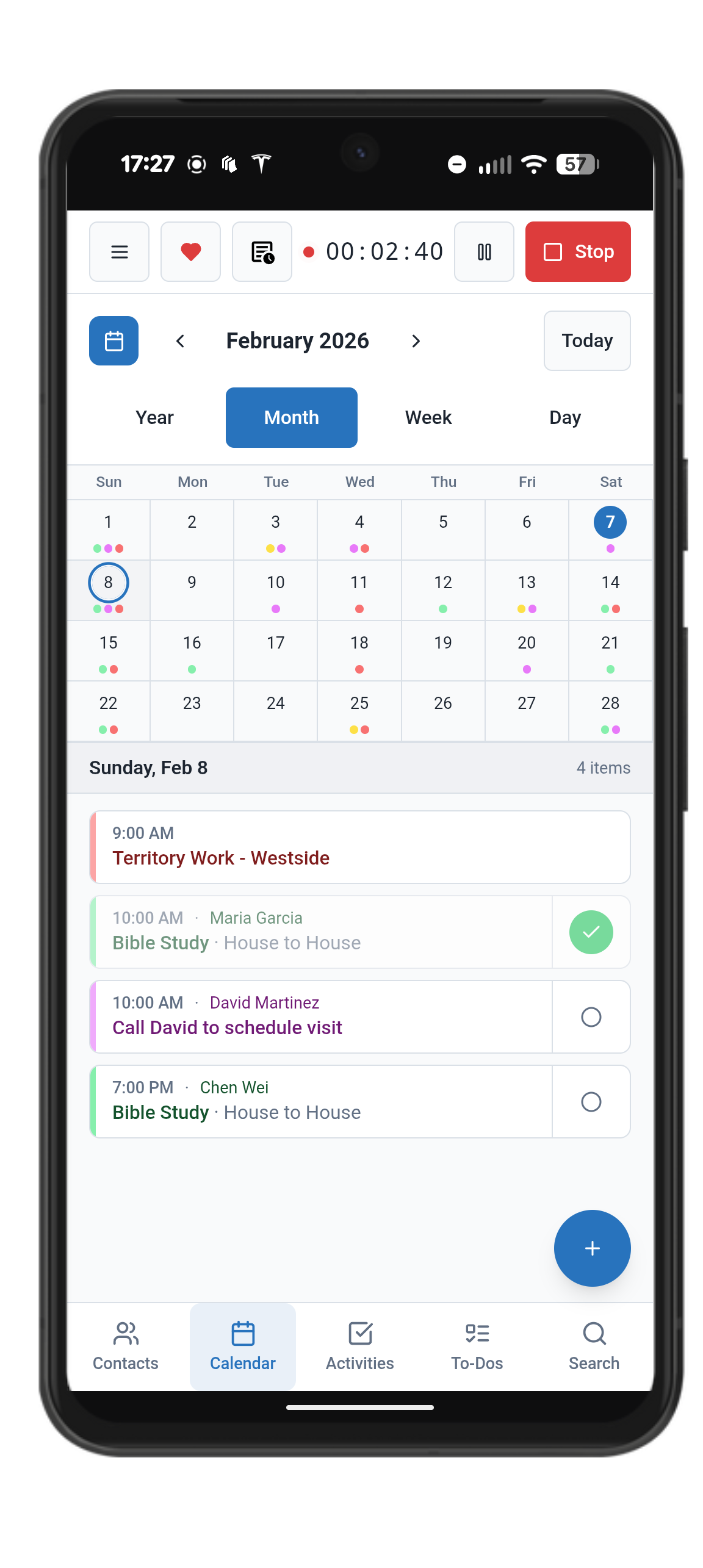
Activities are the “productivity heartbeat” of your service work using Field Notes. Activities help you keep track of important important appointments like return visits, Bible studies, and more. You can add and see your activities in several places:
Activities Tab in the Bottom navigation menu
On a Contact, scroll down to the Activities section or just tab the shortcut at the top of their record
On the Calendar screen. Activities will be listed on the days as well as the area below the calendar
Using the Search in the bottom navigation menu, you can search for the activity name, type, or even the contact and find certain activities without the hunting.
Activity Types:
Initial Call
Follow-Up Call
Return Visit
Bible Study
Important Notes:
While activities do have dates and times, they do not count torward your hours reporting. That’s because Activities are a planning tool. They’re meant to help you organize the work you’re going to do and mark them as completed when you’re done. Reporting is, by nature, a retrospective concept. So it’s very important that you remember to start your timer, as that will feed your hours reporting.